
At first, reactive support feels fine
Most small businesses don’t start with structured IT support.
They have a computer problem.
They call someone.
It gets fixed.
They move on.
For a while, this works.
Because early on, technology isn’t deeply connected to the business.
One PC failing is annoying, not disruptive.
But slowly, things change.
You add cloud systems.
Staff rely on shared files.
Phones run through the internet.
Accounting, orders, and communication all depend on technology.
And that’s the moment reactive support quietly stops being enough.
Not because the support is bad.
Because the business has grown past it.
Watch: Reactive vs Managed IT Support
Fixing problems as they happen isn’t the same as preventing them. Here’s the difference reactive support makes.
What reactive IT support actually is
Reactive support means:
You get help after something breaks
There is no ongoing monitoring
No prevention
No regular review of risks
The model works like this:
Problem → Call → Fix → Invoice → Repeat
It’s simple and familiar.
But it assumes problems stay small.
Small businesses rarely notice the shift immediately.
They just notice issues feel more stressful than they used to.
The early warning signs
Most companies don’t consciously decide to change support models.
They feel friction first.
Common signs include:
- Staff waiting for systems to load
- Shared files locking or duplicating
- Printers randomly disappearing
- Wi-Fi complaints increasing
- People asking “is it just me?”
- Issues returning weeks later
- Support only contacted during emergencies
None of these feel catastrophic.
But together they show something important:
The business now depends on technology more than the support model expects.
Not sure if this applies to your business?
Many companies aren’t sure whether their setup is still reactive or already becoming risky.
Our IT Support Scorecard helps you quickly check where you sit today and whether your support model still fits how your business works.

Why reactive support stops scaling
Reactive support assumes:
Problems are isolated
Fixes stay fixed
Downtime is acceptable
Growing businesses break those assumptions.
Now systems are connected.
One issue spreads.
An update affects accounts software.
A login problem stops a whole team.
A slow network halts cloud tools.
The real change isn’t technical.
It’s operational.
Technology becomes infrastructure.
And infrastructure needs maintenance, not repair.
The hidden cost nobody tracks
Reactive support rarely looks expensive on paper.
You only pay when needed.
But the real cost appears elsewhere:
Lost staff time
Interrupted workflow
Repeated troubleshooting
Managers acting as middle-men
Work avoided because systems feel unreliable
Businesses adapt behaviour around unreliable systems.
They save files locally
Delay updates
Avoid certain processes
Work around problems
That’s not efficiency.
That’s coping.
You can read more about this in The Hidden Cost of ‘okay’ IT Support
The hidden cost nobody tracks” — after “That’s not efficiency. That’s coping.” add: “The knock-on effect on how IT support impacts staff productivity is often bigger than business owners realise.”
What would actually happen if systems stopped today?
Most businesses only discover gaps during an outage.
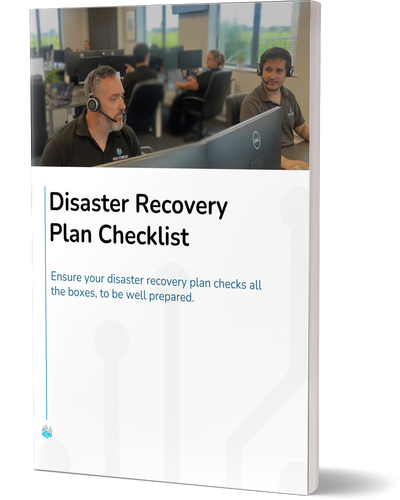
The Disaster Recovery Plan Checklist shows what should already be in place before a serious failure occurs.
What managed support changes
Managed support shifts the timeline.
Instead of fixing problems faster, it reduces how often they happen.
Key differences:
Reactive support waits for symptoms
Managed support monitors conditions
Reactive support solves incidents
Managed support manages systems
Reactive support restores work
Managed support protects workflow
The goal is stability, not rescue.
The moment companies usually switch
There’s a specific point most businesses reach.
A problem affects multiple people at once.
Not a single PC.
A whole team.
That’s when leadership realises:
This isn’t an IT issue anymore.
It’s a business interruption risk.
And from that point, confidence matters more than repair speed.
You can explore what this feels like in Why Fast IT Support Matters for SMEs in Liverpool
When to consider changing approach
You don’t need to wait for a disaster.
Usually the right time is when:
- Staff rely on shared systems daily
- Downtime stops operations
- You’re using cloud software heavily
- Problems repeat instead of disappear
- You want predictable costs instead of surprise invoices
At that stage, prevention becomes cheaper than repair.
If you’re unsure where you currently stand, reviewing your setup with our IT support for Liverpool businesses can give clarity without committing to anything.
Considering a change but unsure how to compare providers?
Not all support services work the same way.
Our guide How to choose the right IT support partner explains what to ask, what to avoid, and how to compare options clearly.

The real difference isn’t technical
People often think the change is about tools.
It isn’t.
It’s about responsibility.
Reactive support is responsible for fixing faults.
Managed support is responsible for keeping systems dependable.
Small businesses outgrow reactive IT support when technology stops being a convenience and becomes a foundation.
And most don’t notice until the day everything pauses at once.
FAQs
What is break-fix IT support?
Break-fix support means you contact an IT provider only when something stops working. There is no ongoing monitoring or preventative maintenance. You pay per incident rather than for continuous service.
Why do recurring IT problems keep happening?
Recurring problems usually mean the underlying system setup hasn’t been reviewed. Reactive fixes solve the symptom, not the cause, so the issue returns in slightly different forms.
Is managed IT support only for large companies?
No. Small businesses benefit the most because they don’t have internal IT teams. Preventing disruption protects staff time and keeps operations predictable.
How do I know if we’ve outgrown reactive support?
If multiple staff depend on shared systems and downtime affects productivity, the business has usually moved beyond reactive support being reliable enough.
Does managed support mean fewer issues?
Yes. The main goal is reducing incidents, not responding quicker. Monitoring, updates, and maintenance remove many problems before users notice them.